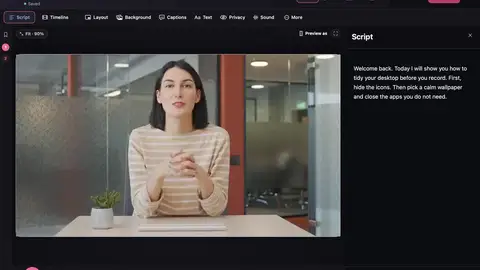









Clean up audio can also shorten long pauses and tidy “um”s. Every cut is listed for you to check, and the new length shows before you save. Preview just the part you choose on the waveform.
Feature
Handy tools for any file.
Open Tools in the sidebar. They work on any audio or video file, not just your recordings. Try them all for free, and save the result with Pro. Your original file is never changed.
- Free plan
- No watermark
- macOS 15 or later

The problem
Small jobs shouldn’t need a big editor.
Noisy sound in a file from somewhere else
Clean it up here
A video that’s too big to send
Compress it, and see the new size first
The wrong shape or file type
Resize or convert it
Seven tools
Clean up audio
Remove background noise, make your voice clearer and even out the volume. Hear the original and the improved version at the same moment. Save as M4A or WAV.
Extract audio
Pull the sound out of a video, as M4A or WAV.
Make captions
Turn speech into subtitles on your Mac. Correct any line, then save an .srt or .vtt file.
Convert
Save as MP4 that plays everywhere (H.264), or about half the size (HEVC).
Resize a video
Make wide, tall, square or 4:5 versions at once. Smart framing keeps the important part in view.
Compress a video
Make a video smaller. You see the new size before you save.
Make a thumbnail
Pick a frame, add a title, and save a thumbnail for YouTube, Shorts or a square post.
Optional clean-ups
In the app


Questions
Are the tools free?
You can open, adjust and listen to every tool for free. Saving the result needs Pro. See current prices and payment options. Buy it in the app: open Plans and choose Upgrade to Pro.
Is my original file changed?
No. The tools always save a new file.
Can I save MP3?
Not yet. macOS doesn’t include an MP3 encoder, so audio is saved as M4A or WAV.
More features
Screen and camera recording
Record your screen with your camera alongside, or import a video you already have.
Automatic tidy
When you stop recording, the “um”s, false starts, repeats and long pauses are cut for you, and the sound is cleaned up.
Edit by deleting words
Everything you say appears as text. Delete a word and that moment is cut from the video. You can always undo.
Make your next video on your Mac.
- Free to startRecord, edit and save a finished video on the free plan.
- No watermarkNot even on the free plan.
- Stays on your MacYour projects and recordings are saved on your Mac.
Requires macOS 15 or later.