Feature

Smart features, no uploads.

Lots of apps say “AI” and send your video to a server. Make It a Video does the work on your Mac, using technology Apple builds into macOS, plus a few open models that run on your Mac too. Here’s exactly what does what.

  • Free plan
  • No watermark
  • macOS 15 or later
Your videos library with sample projects, search and folders.

The problem

“AI” often means your video leaves your Mac.

  1. Your recordings sent to a server

    The work is done on your Mac

  2. Not knowing what an app does with them

    A list of exactly what does what

What powers each feature

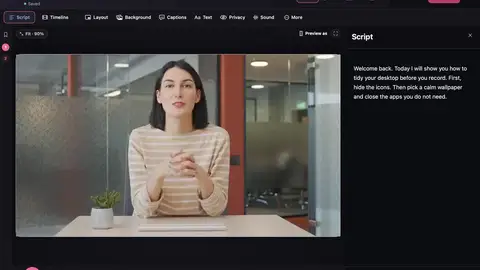
Script and captions

Apple’s speech recognition (the new SpeechAnalyzer on macOS 26). Optional: NVIDIA’s Parakeet model, downloaded once, then run on your Mac.

Finding “um”s

Sound analysis of pitch and tone, using Apple’s Accelerate maths library. Speech recognition alone misses most of them.

Finding restarts

Several checks vote: matching words, words that sound alike, and how your voice rises and falls. Apple’s Natural Language framework helps, and Apple Intelligence can double-check.

Hiding private details

Apple Vision text recognition reads the screen, then pattern checks spot emails, card numbers and keys.

Removing your background

Apple Vision person segmentation.

Smart framing and thumbnails

Apple Vision face detection, plus your recorded pointer and clicks.

Automatic zooms

Your recorded clicks, pointer and typing. No guessing from the picture.

Write my script, Edit by asking, titles, chapters

Apple Intelligence, Apple’s on-device language model (macOS 26). Simpler versions work without it.

Say it in my voice

Apple Personal Voice, which you make and keep on your Mac.

Voiceover

Your Mac’s built-in voices.

Caption translation

Apple’s Translation framework.

Noise removal and voice styles

Sound processing in the app, using Apple’s audio tools.

Recording and saving

Apple ScreenCaptureKit and AVFoundation, with H.264 or HEVC.

Search your library

On-screen words from Vision, spoken words from speech recognition, and Apple’s Natural Language for questions.

What does go online

The app blocks every web request except a short list:

  • Signing in and checking your plan.
  • Checking for updates and downloading them.
  • Find music: only your search words go to the Openverse music library, and the songs you pick are downloaded.
  • Create from my website: the app visits the website you type in.
  • Crash reports, only if you agree. They include the app and macOS version, your Mac model and the last few things you did. Never your recordings, screenshots, words or email.
  • Bug reports, only when you press Send.

Your recordings, projects and transcripts are never on that list. Once you’re signed in, recording, editing and saving keep working offline for 14 days.

In the app

Questions

Does Make It a Video use AI?

It uses on-device machine learning that Apple builds into macOS, such as speech recognition, Vision and Apple Intelligence. None of it sends your video anywhere.

Do I need Apple Intelligence?

No. A few writing features are better with it (macOS 26 on a Mac that supports it). Everything else works without it.

Does it work offline?

Yes. After you sign in, recording, editing and saving work without a connection for 14 days.

Make your next video on your Mac.

  • Free to startRecord, edit and save a finished video on the free plan.
  • No watermarkNot even on the free plan.
  • Stays on your MacYour projects and recordings are saved on your Mac.

Requires macOS 15 or later.